Blacklist Strategies
Blacklist strategies are designed for minimal operational impact:
- Default = ALLOW
- DENY only a limited set of high-risk ports/paths
They are ideal as a first step to reduce common attack paths without enforcing a full allow-list model.
1) Blacklist Dangerous Ports
This strategy denies a set of high-risk ports often used for discovery, legacy services, or lateral movement.
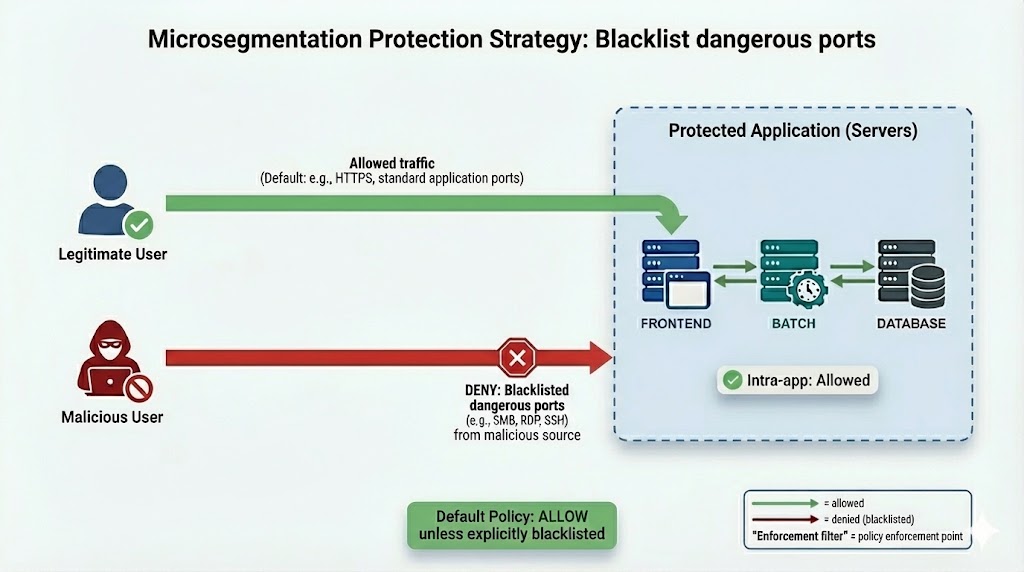
Key idea
- Most traffic remains ALLOWED by default
- Only blacklisted ports are DENIED broadly
Example dangerous ports (illustrative)
- TCP/135
- TCP/445
- TCP/3389
- UDP/69
- UDP/161
Note
The exact list should be adapted to your environment and threat model. Start small, validate impact, then iterate.
2) Blacklist Admin Ports
This strategy reduces lateral movement by restricting administrative access paths and forcing admin access through controlled entry points.
Typical admin ports: - SSH (22) - RDP (3389) - WinRM (5985/5986) - Other admin/remote management ports (context-dependent)
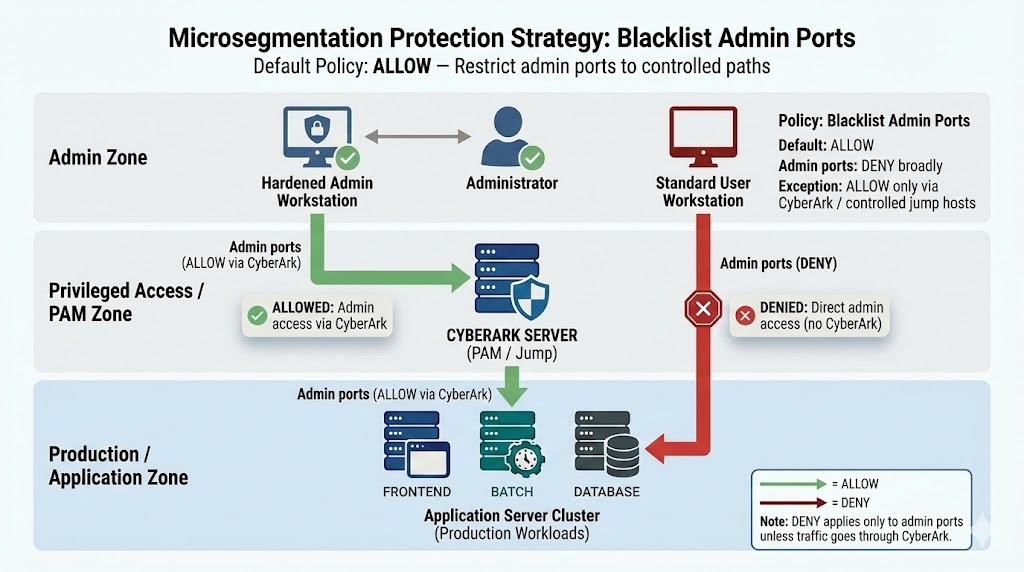
Key idea
- Default posture is still ALLOW
- Admin ports are DENIED broadly
- Admin ports are ALLOWED only via controlled jump hosts / admin zones (example: CyberArk / PAM)
What the diagram illustrates
- ALLOWED (green):
- Administrator → Hardened Admin Workstation → CYBERARK (PAM / Jump) → Applicative Server
- DENIED (red):
- Standard User Workstation → Applicative Server (direct admin ports blocked)
Tip
Use this when you want to prevent common pivot techniques and ensure admin access is restricted to approved paths.
When to use Blacklist strategies
- You need fast risk reduction with minimal policy complexity
- You want to eliminate obvious pivot paths early (admin ports, dangerous legacy ports)
- You want a transitional strategy before deploying Intrazone or Fine-grained controls
Warning
Default ALLOW is not least privilege. Blacklist strategies are typically a step toward more explicit control models.