Service Catalogue & How to Request Support
This page helps users quickly identify the right service and submit requests in a way that minimizes back-and-forth and speeds up delivery.
One entry point: Frontline HCS
All requests go through a single intake channel (Frontline HCS) to ensure: - Fast triage and routing to the owning Feature Team - Proper scoping and prioritization - Consistent tracking and auditability
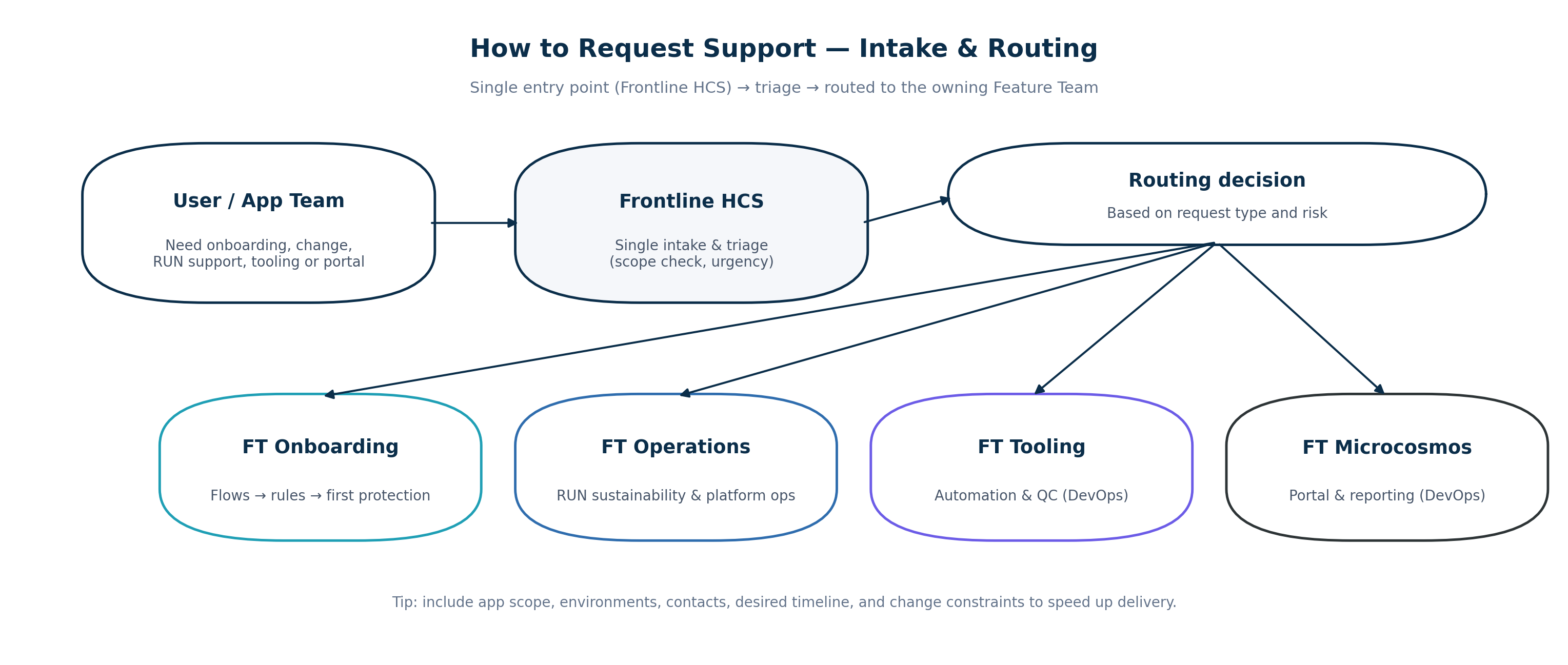
What to include in every request (minimum data set)
- Application name, environment(s) (DEV/UAT/PROD), and technical owner(s)
- Business criticality and constraints (freeze window, blackout periods)
- Expected timeline and deadlines
- Connectivity scope (in-scope workloads, segments, or known peers)
- Change model preference (standard/normal/emergency) if already known
- Contact for workshops / validation (availability)
Service catalogue (starter)
| Service | Best for | Primary owner | Outputs / deliverables |
|---|---|---|---|
| Application Onboarding | onboarding an application into microsegmentation | FT Onboarding | flow cartography, peer qualification, validated ruleset, first change support |
| Policy Change | adding/modifying rules in a controlled way | FT Onboarding (build) + FT Operations (governance/run) | change record, updated rules, evidence, comms |
| RUN Sustainability | ensuring protection stays effective in RUN | FT Operations | agent/enforced coverage, monitoring, hygiene actions, runbook updates |
| Platform Operations | patching/upgrades/backup/monitoring/DR/audit evidence | FT Operations | maintenance plan, execution, evidence pack, DR exercise report |
| Automation & Quality Controls | reduce manual work, detect drift, improve quality | FT Tooling | scripts, QC reports, CMDB sync updates, automation releases |
| Microcosmos Portal | reporting, dashboards, user enablement | FT Microcosmos | portal features, controlled releases, documentation updates |
Typical request journeys
1) “I need to onboard my application”
- Submit request with scope + contacts
- Kick-off scheduled (FT Onboarding)
- Cartography + peer investigation
- Qualification workshops → validated rule set
- First protection change supported
- Transition to RUN sustainability checks (FT Operations)
2) “I need a policy update”
- Submit change request (desired outcome + risk/context)
- Identify if a standard change template applies (fast path)
- If not standard: CRB/CAB path (as applicable)
- Implementation + evidence + comms
- Knowledge update (runbook / templates)
3) “I have an issue in production (agent/PCE)”
- Submit incident with symptoms + impacted scope
- FT Operations triages and restores service
- If recurring: problem analysis + preventive action (FT Tooling + FT Ops)
- Knowledge article updated to prevent repeats
Service quality commitments (OLA-style, internal targets)
These are starter targets; the Service Manager can tune them with stakeholders.
- Triage: acknowledge and route within one business day (or faster for high severity)
- Onboarding: provide a first onboarding plan after kick-off and scope confirmation
- Changes: standard changes prioritize speed; normal changes follow governance gates
- Incidents: prioritize restoration and clear communications; do a retrospective for major incidents
- Knowledge: update runbook/KB when the request produces a new recurring scenario
When you are unsure…
If you are not sure which service applies, submit through Frontline HCS with: - your goal (what you need), and - your constraints (by when, what risk), and - your contact for validation.
We will route it to the correct Feature Team and keep you informed.